I’ve used Obsidian heavily over the past 5 years and experimented with tons of different ‘to-do’ and ‘task’ setups.
This post will outline my current setup and the rationale behind it:
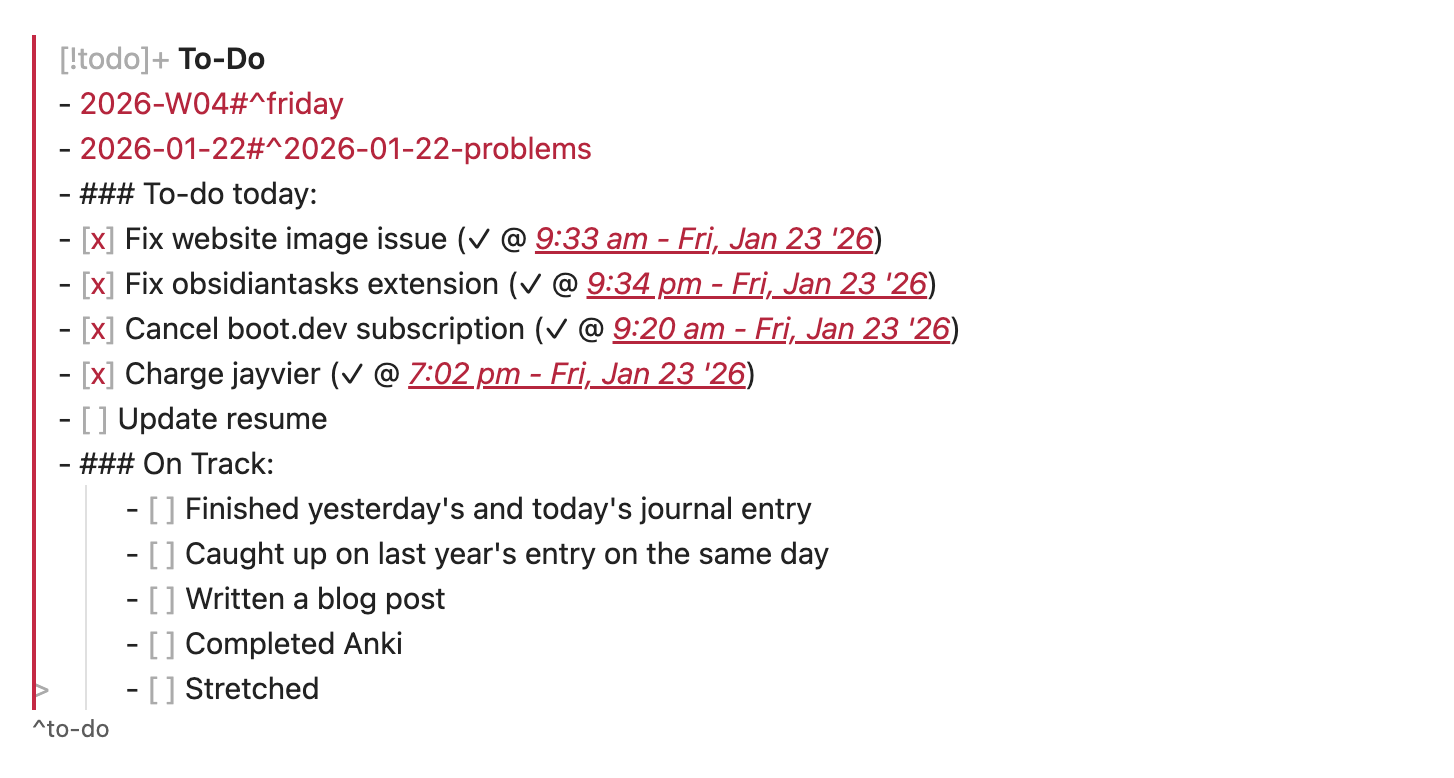
my tasks while editing them in obsidian
I’m a big fan of having control over my data, and so I’ve settled on using Obsidian as my task manager. Obsidian is a markdown editor, which means tasks are formatted as - [ ] task instead of some proprietary format as you can see above.
Below is what my tasks look like when rendered in Live Preview:
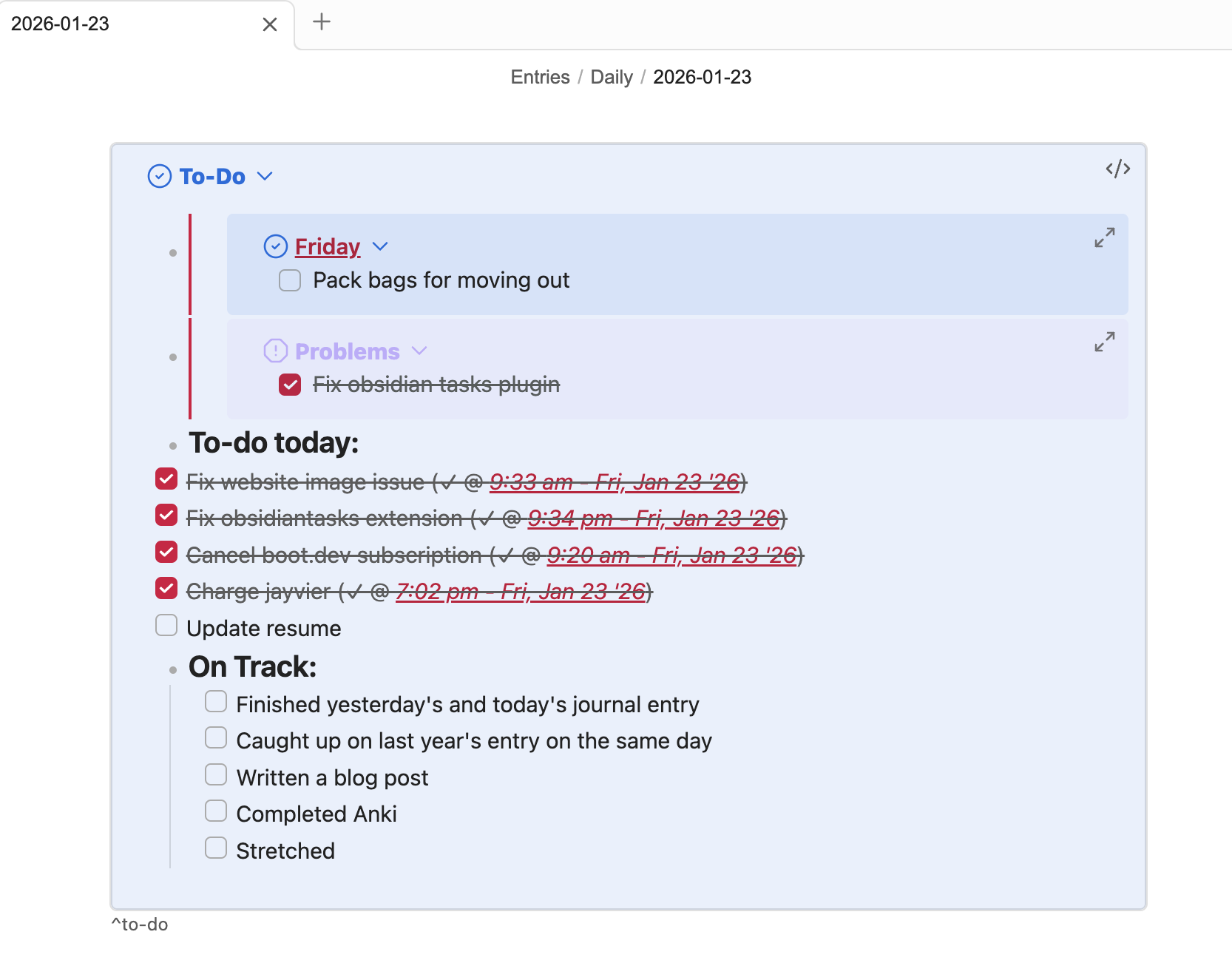
There are a few sections in my setup:
-
Weekly tasks:
-
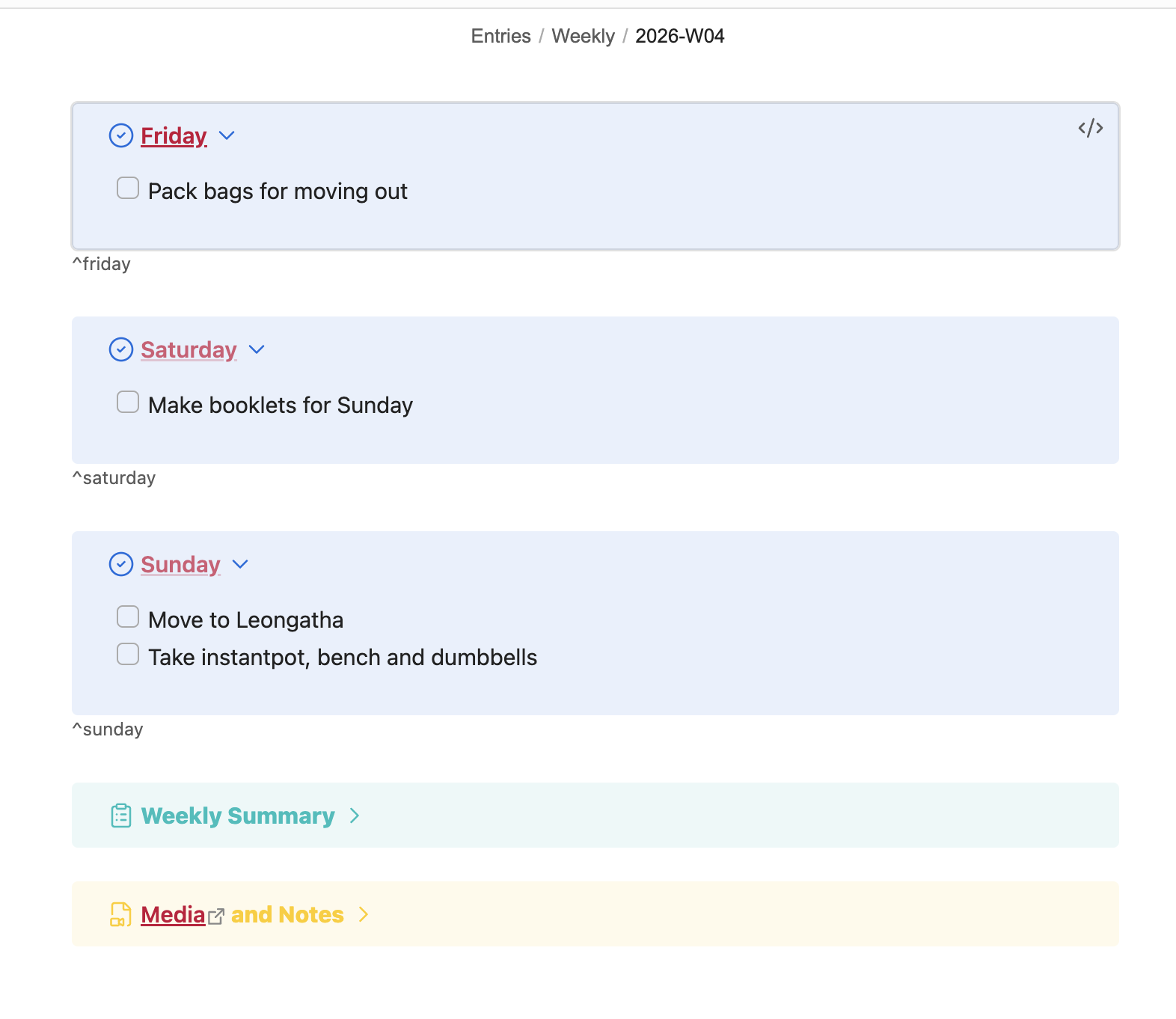
Using the periodic notes plugin, I create weekly notes and can assign tasks for each day of the week. My daily notes pull and display the relevant day from the weekly note using custom templater scripts. Below is what my weekly notes look like:
-
-
Problems:
-
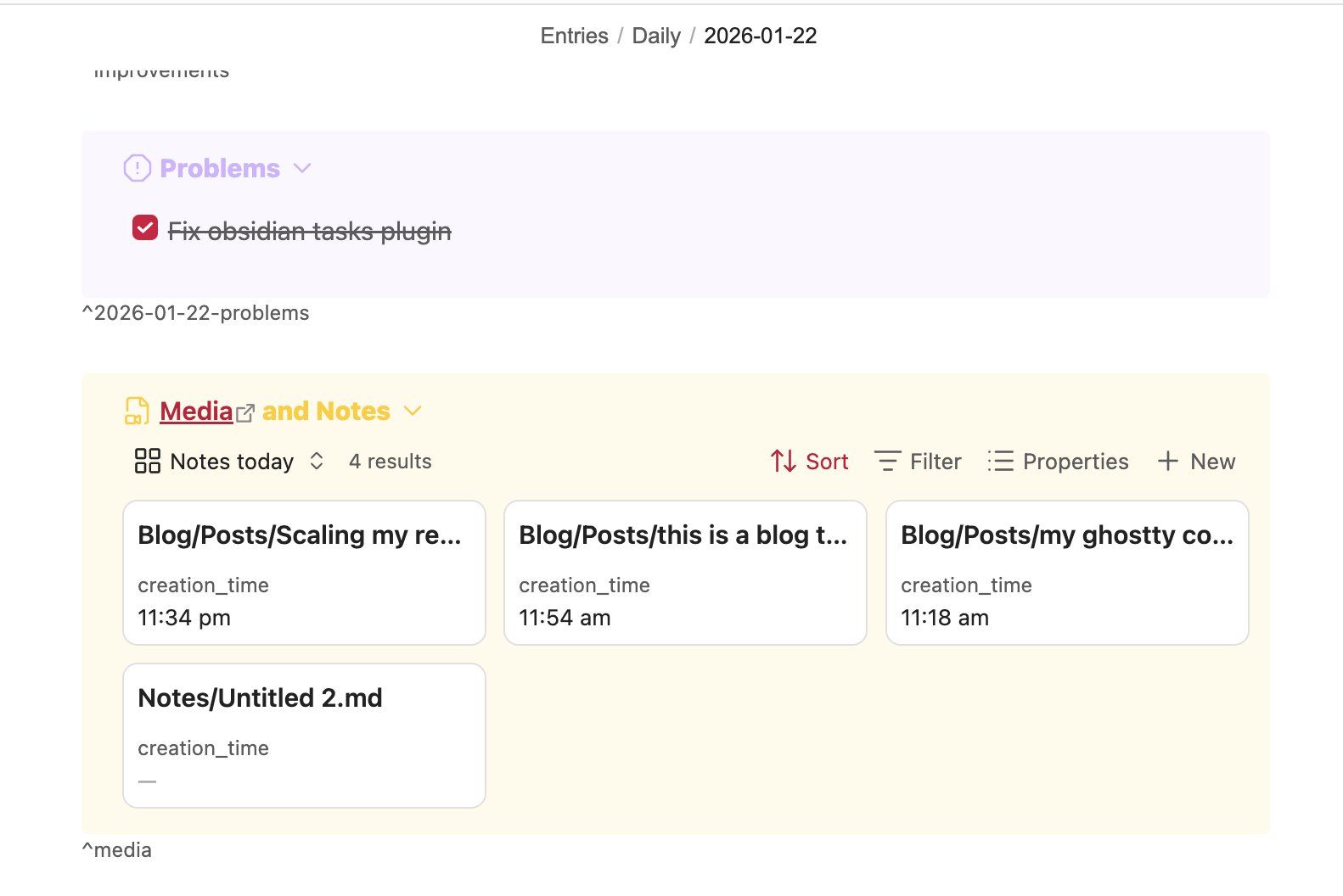
In my daily entries, there’s a section for filling out problems that crop up during the day for me to fix. This helps keep my feedback loops quick and fix problems within a day, rather than letting them persist. Below is a snippet from my previous daily entry.
-
-
To-do today:
-
These are tasks specifically meant to be accomplished during the day, and this is where I add new tasks for the day.
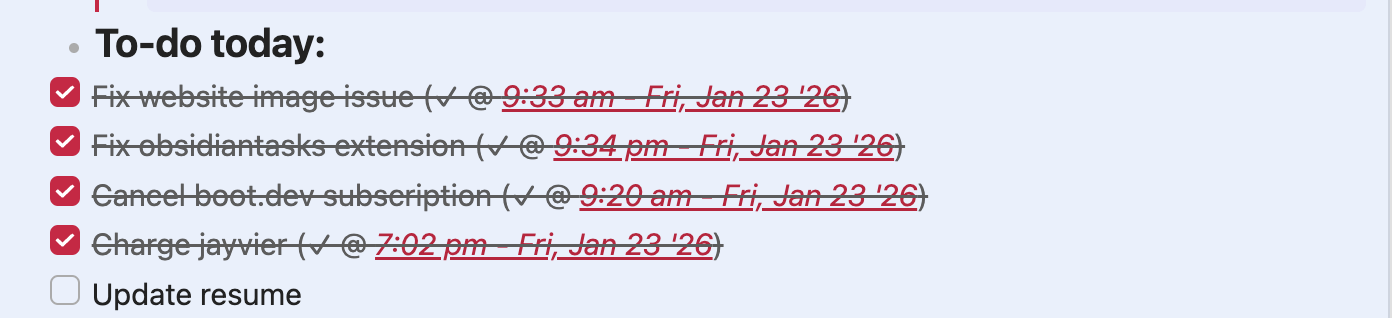
-
-
On track:
-
These are tasks I should complete every day regardless of the day. These tasks usually contribute towards longer term goals, e.g. achieving the splits, blogging etc. These tasks are added to my daily note template and are automatically added each day.
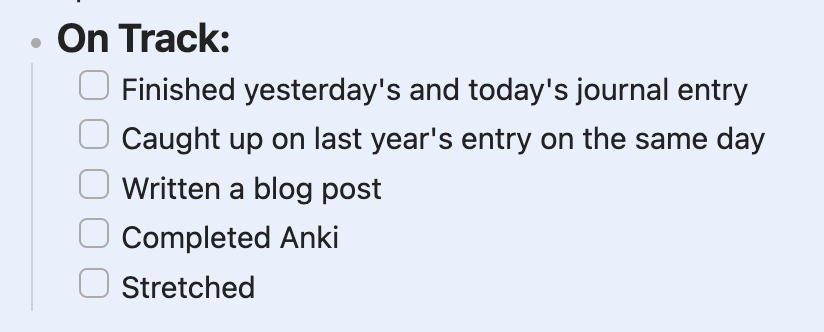
-
A super neat part about Obsidian is that all its files are .md files which can easily be read, and has allowed me to create my own custom plugins and extensions to improve my to-do workflow.
One such example are my Safari and Firefox extensions. My ‘new tab’ screens are just a list of today’s tasks pulled from my daily note, and are interactive so I can tick off tasks or add new ones. Super convenient because all my tasks are always on display and I never have to go hunting for my next task.
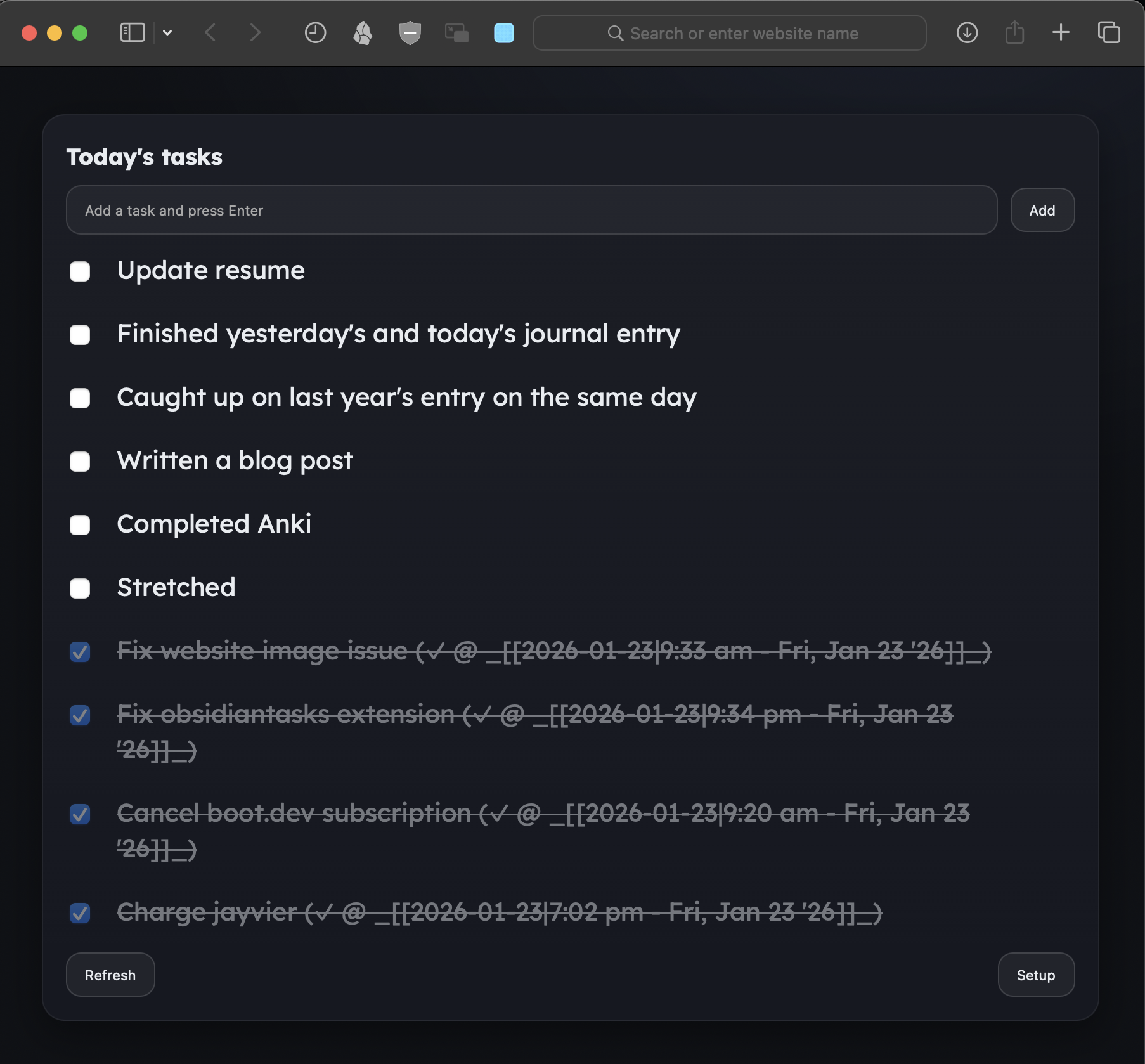
Another app I’ve created is a MacOS menubar app which displays the top task.
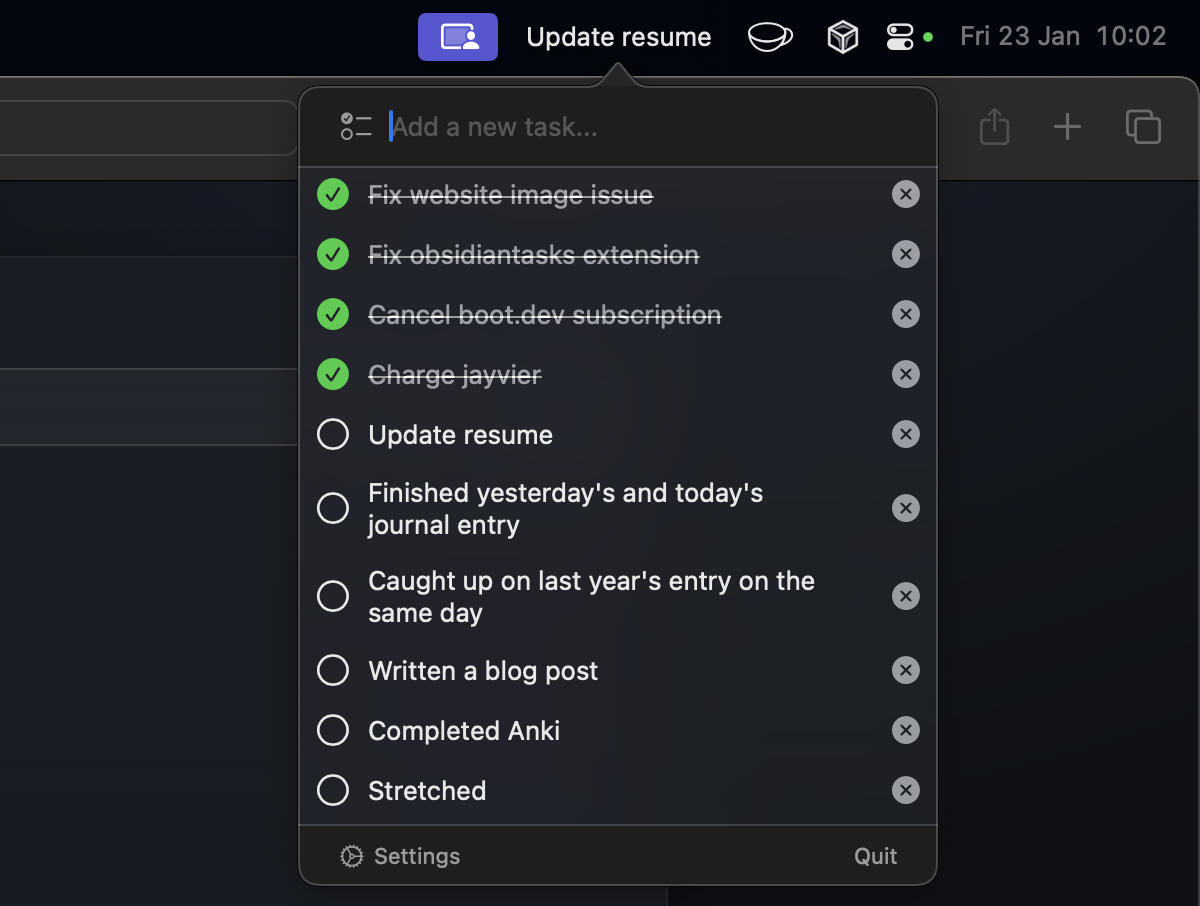
Once again I can easily mark tasks as done, and they serve as a constant reminder of what to accomplish next if bored or motivated.
Everything syncs well, and there are custom timestamps appended upon completion. I’m pretty happy with this setup, the only improvements would be to get custom apps/widgets on my phone via native iOS apps. I’d have to pay for an Apple developer license though which I can’t justify yet.
That’s about it regarding my setup, hope you guys enjoyed! Let me know if you have any questions, if there’s interest I’ll publish my setup as an app for everyone to use :))
Don’t forget to like and subscribe!!